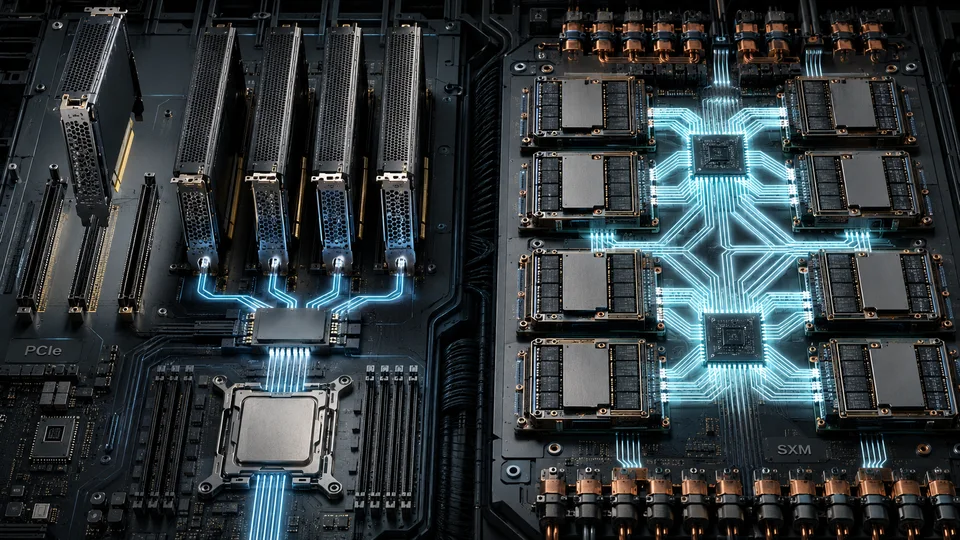
Two systems can carry GPUs with the same family name and still behave very differently. The difference may come from the GPU variant itself, its power limit, its memory or the links connecting it to other GPUs. Comparing PCIe and SXM therefore means comparing complete configurations, not just connectors.
A card versus an integrated platform
A PCIe GPU is an add-in card installed in a compatible server or workstation. SXM is NVIDIA’s module form factor for GPUs mounted on a dedicated baseboard. An SXM module cannot be inserted into a PCIe slot; it requires a platform built for that module, including its power delivery and cooling.
In H100 and H200 eight-GPU HGX systems, SXM GPUs communicate through NVLink and NVSwitch. This provides a high-bandwidth fabric inside the server. The value of that fabric depends on whether the workload actually moves substantial amounts of data between GPUs.
Some PCIe GPU variants also support NVLink bridges. The supported number of GPUs and bridge arrangement are specific to the product and server configuration. Do not assume that every PCIe card supports NVLink, or that a bridged pair provides the same topology as an eight-GPU HGX baseboard. For GPUs communicating over PCIe, the CPU attachment, PCIe switches and NUMA layout also matter.
When fast GPU-to-GPU communication pays off
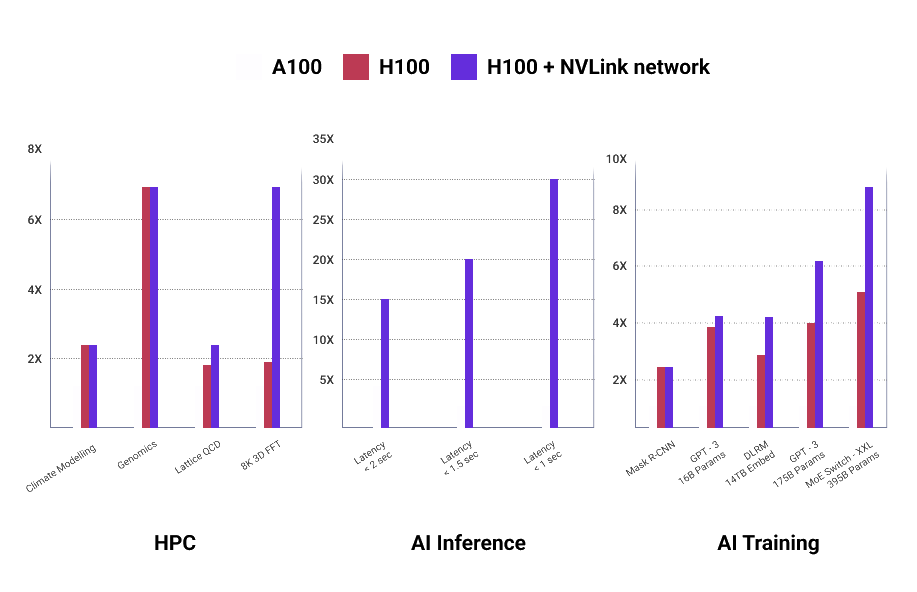
A large model divided across multiple GPUs may require frequent communication during training or inference. In those conditions, reducing communication time can materially improve the usefulness of each additional GPU. An integrated SXM platform is worth evaluating when that communication is a measured bottleneck.
Independent jobs are different. If eight users each run a model on a separate GPU, their work may share little or no data across the GPU fabric. They can benefit from a dense server without benefiting much from NVSwitch. The DGX, HGX and PCIe server comparison separates the value of the interconnect from the value of the complete system and its support services.
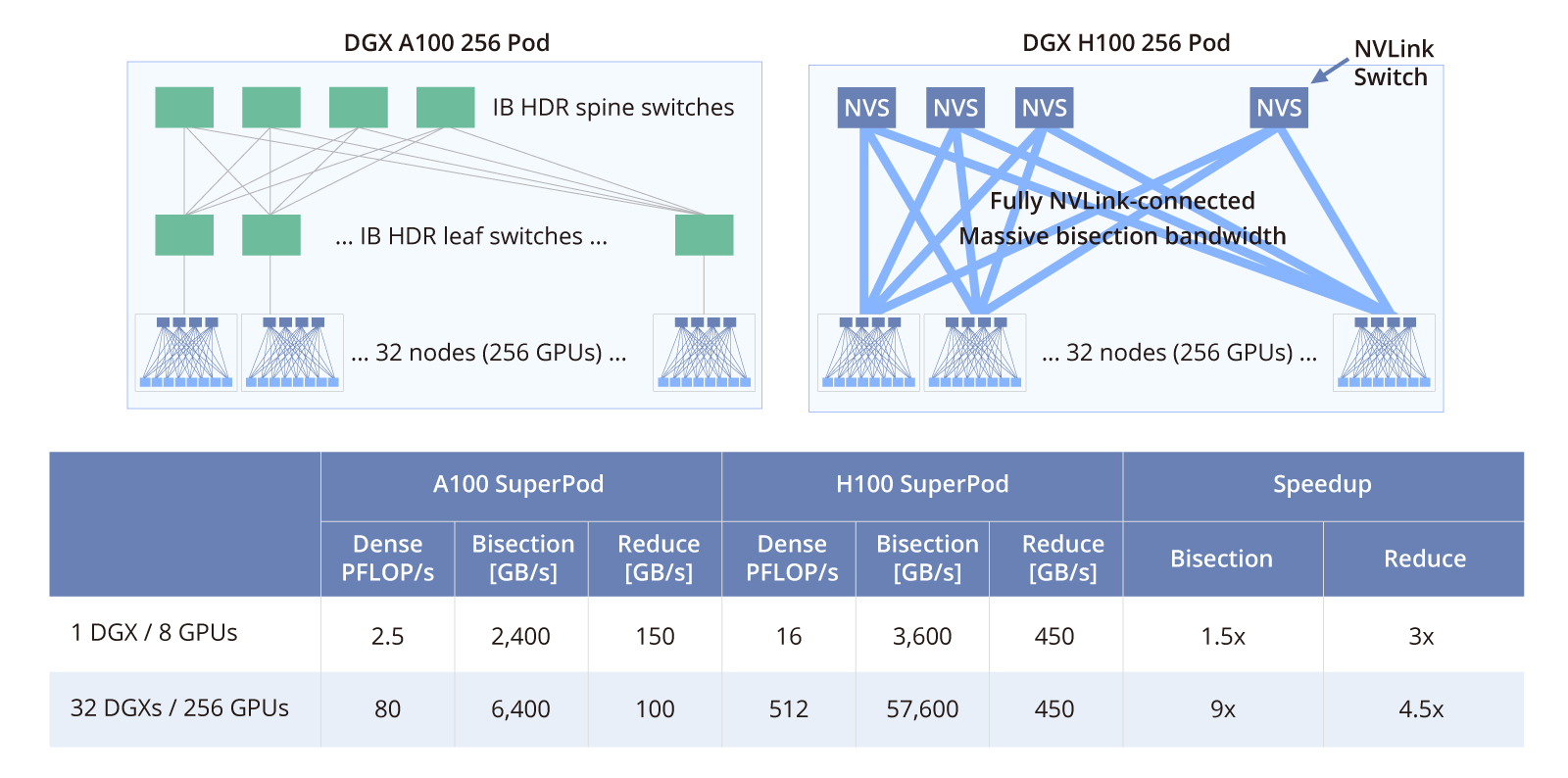
The boundary of the fabric is important. In the H100/H200 systems discussed here, NVSwitch connects GPUs within a node. Communication between servers also requires a compute network, suitable NICs and the software configuration to use them. NVIDIA’s DGX SuperPOD reference architecture describes the compute, storage and management networks separately. Rack-scale NVLink systems in other generations must be assessed against their own architecture; their topology should not be inferred from this eight-GPU example.
Expansion and utilization
A compatible PCIe server can often be purchased with fewer GPUs and expanded later. That flexibility is useful when demand grows gradually, when users need different card types or when the workload is still being characterized. Expansion still depends on the approved server configuration: power supplies, risers, cooling kits and supported GPU combinations may need to be specified at the start.
An integrated SXM system commits more of the investment at once. Standardization can simplify fleet operations, but idle GPUs and unused interconnect capacity remain real costs. Before selecting it, measure whether the target application scales effectively from one or two GPUs to four and eight.
Memory and power: compare the exact variants
The original 80 GB H100 PCIe uses HBM2e, as specified in NVIDIA’s H100 PCIe product brief. The 80 GB H100 SXM uses HBM3. The H100 datasheet lists nominal memory bandwidth of approximately 2 TB/s and 3.35 TB/s respectively. H100 NVL is another configuration again; its specifications should not be substituted for those of the 80 GB PCIe card.
The power envelope also differs: the 80 GB H100 PCIe is rated up to 350 W, while H100 SXM configurations can reach 700 W per GPU. The server must be designed for the selected operating point. These figures do not establish energy efficiency on their own. A higher-power GPU may finish a suitable task sooner, while an underutilized one may consume more energy without shortening execution enough to justify it. Measure energy and cost per completed task alongside elapsed time.
Memory capacity, memory bandwidth and compute capability can all change between variants and generations. Numerical-format support adds another layer: INT8 and FP8 support in practice explains why a hardware specification does not guarantee a usable runtime path.
Match the platform to the communication pattern
| Workload characteristic | What to evaluate first |
|---|---|
| Independent inference, development or analytics jobs | PCIe cards with sufficient memory and a suitable host configuration |
| A model that fits on one or two GPUs | The simplest supported configuration that meets latency and throughput targets |
| Training or inference with heavy communication between several GPUs | SXM/HGX alongside measured PCIe alternatives |
| Distributed scientific computing | The application’s actual communication pattern, numerical requirements and scaling efficiency |
| A job spanning several servers | The complete network and storage architecture, in addition to the GPU fabric |
Application labels alone are too broad to decide the platform. Medical imaging, language models and scientific computing can each include both independent and tightly coupled jobs. Start with the model and execution pattern, measure the bottleneck, and then price the hardware that removes it. For a PCIe shortlist, continue with selecting the right server for the card.